Find what you need in our searchable FAQ.
45 views | 0 Vote this question as useful. 0 Vote this question as not useful. | Last updated on Jul 28, 2026 Library
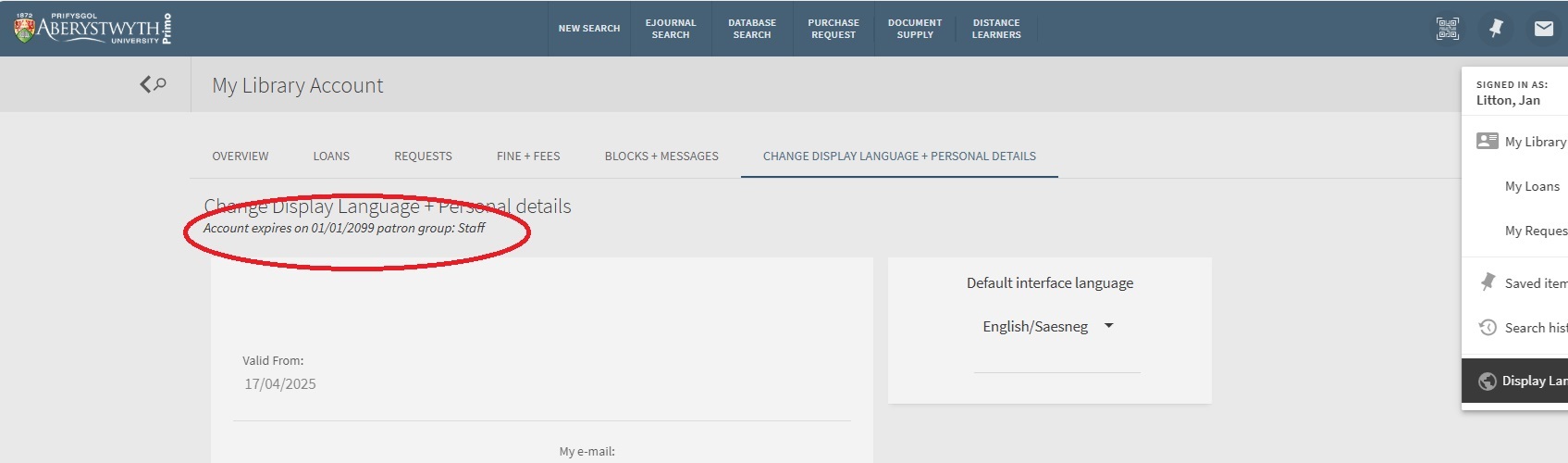
You can check the expiry date of your Library Account through Primo: Go to https://primo.aber.ac.uk
Choose 'Sign in' from the top right.
Choose 'My Library Account' from the sign in menu
Choose 'Change Display Language + Personal details'