Find what you need in our searchable FAQ.
49 views | 0 Vote this question as useful. 0 Vote this question as not useful. | Last updated on Jul 29, 2026 Library
Retired Staff- If you are a Retired member of staff, please e-mail library@aber.ac.uk to inform us that your account is still in use and needs to be extended. We will e-mail you confirmation once the account has been extended.
Paying Users- Paying users will need to pay to continue/be granted access. To make payment you will need to visit - https://shop.aber.ac.uk/ Go to: 'Product Catalogue' Library Services 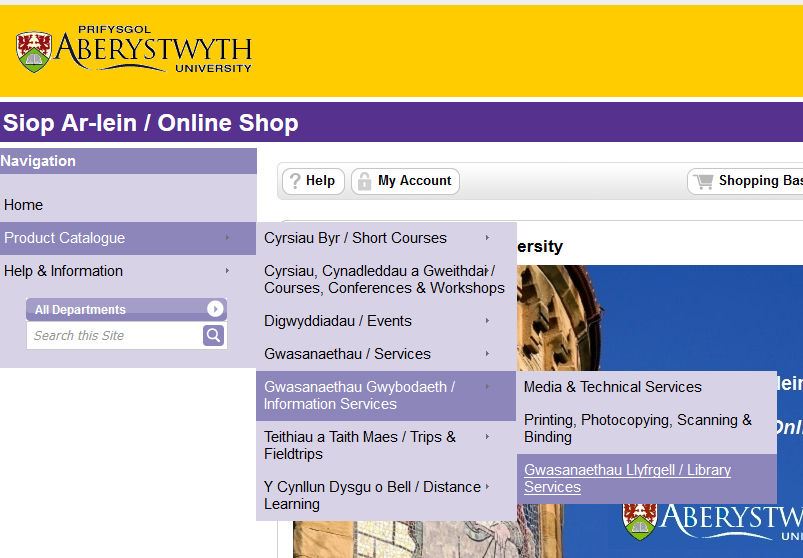
Select the membership you wish to purchase (You can purchase more than one to purchase a longer membership (£30 per quarter) 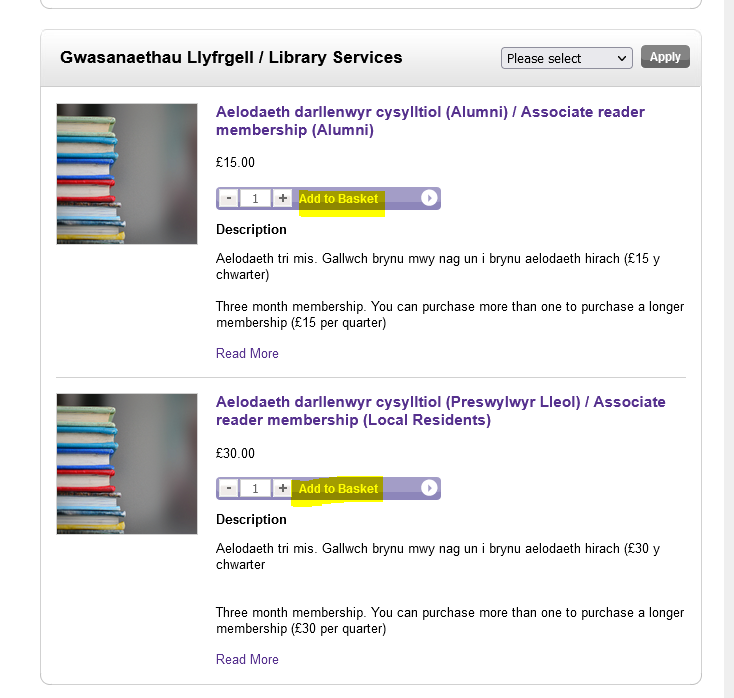
Click 'Add to basket' and then, Click on Shopping Basket in the top right hand side of the screen: 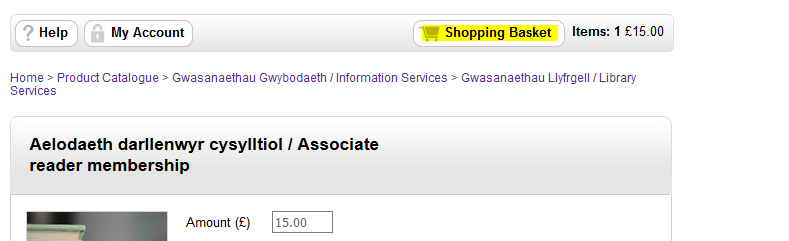 Click Proceed to Checkout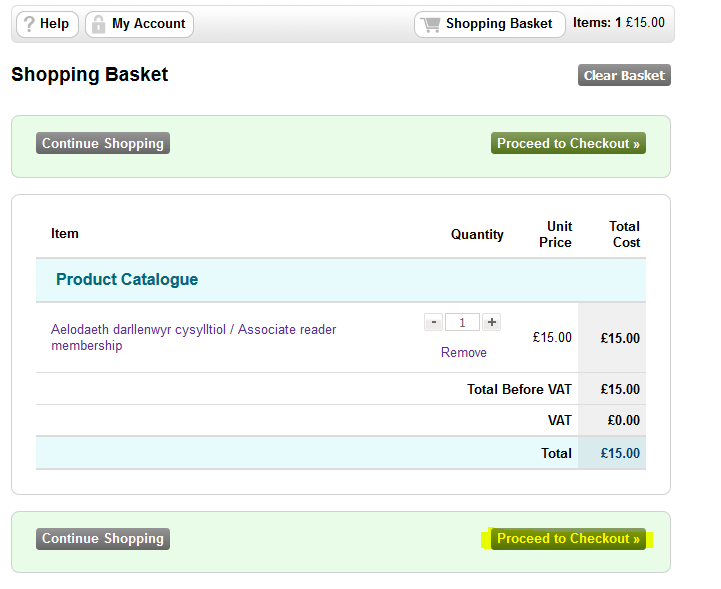
If you have not used the shop before you will need to Register as a New Customer. If a returning customer, please Login using your e-mail address and Password. 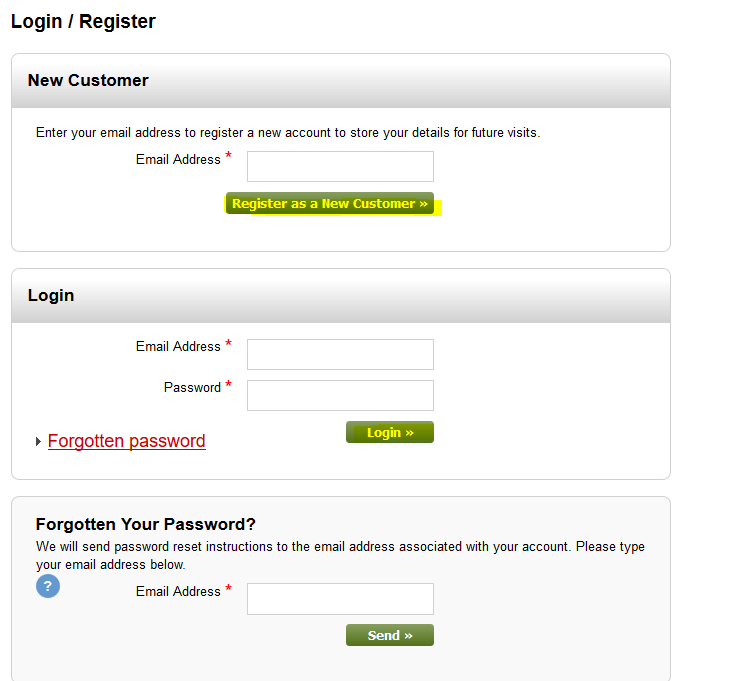
Follow the guidance on the screen and make payment using your card details. You will receive an e-mail from the Library to confirm once your access has been extended/granted.