Find what you need in our searchable FAQ.
149 views | 0 Vote this question as useful. 0 Vote this question as not useful. | Last updated on Sep 19, 2026 Library
We will only post books where there is not a copy available electronically.
To request a postal loan: Log in to Primo - https://primo.aber.ac.uk.
Find the book you would like to borrow
Click on Find & Request on the left hand side of the screen: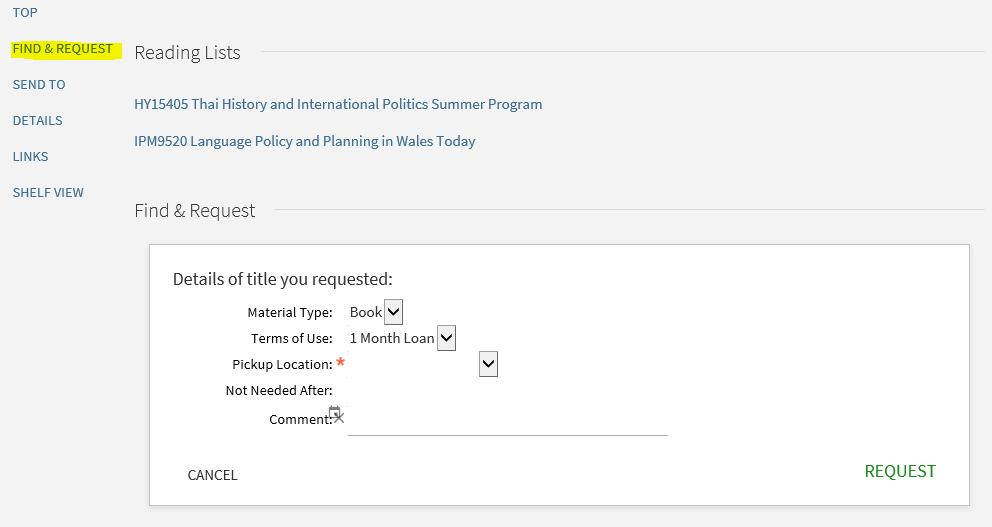
Complete the Find and Request fields specifying Home Address as the pickup Location. In the comments field type the address you would like to item posted to, including the post code. You need to supply a phone number in the comments which we will give to the courier to facilitate delivery.
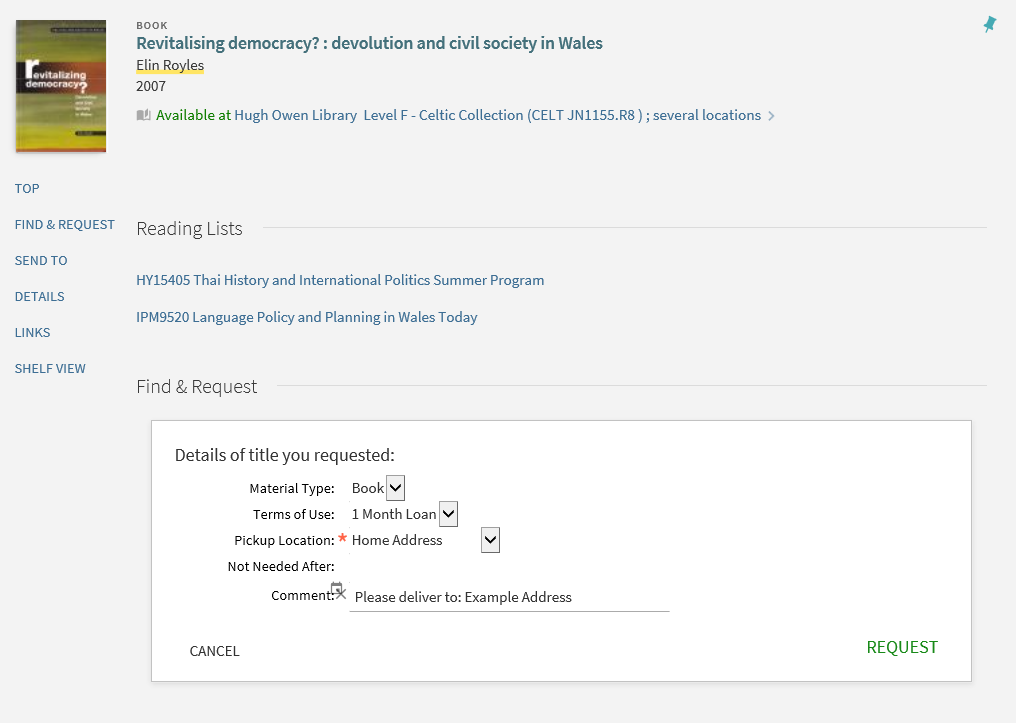
Click Request. You will receive a confirmation e-mail from the Hugh Owen Library as soon as the book has been posted to you.