Find what you need in our searchable FAQ.
82 views | 0 Vote this question as useful. 1 Vote this question as not useful. | Last updated on Jul 27, 2026 Library Primo
Go to https://primo.aber.ac.uk .Choose Sign in from the bar at the top right.
Your name will now be displayed instead of the Sign in link
Click on your name and choose 'My Library Account' : 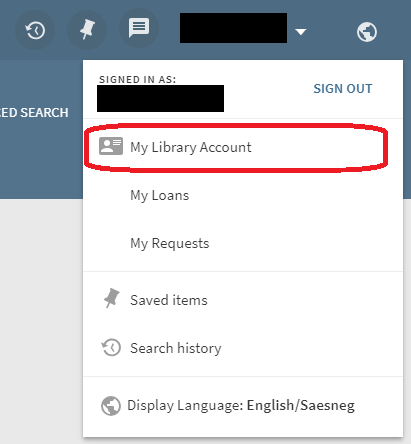
See when the items you have borrowed are due back.
View and manage your requested items.