Find what you need in our searchable FAQ.
307 views | 0 Vote this question as useful. 0 Vote this question as not useful. | Last updated on Jul 27, 2026 Library Primo
Visit https://primo.aber.ac.uk/ Click on your name in the top right hand corner then click 'My Requests' to view all your requests: 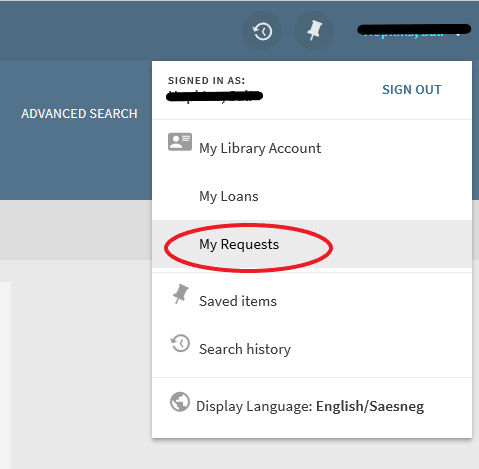
If you no longer want to request an item, click Cancel next to the request: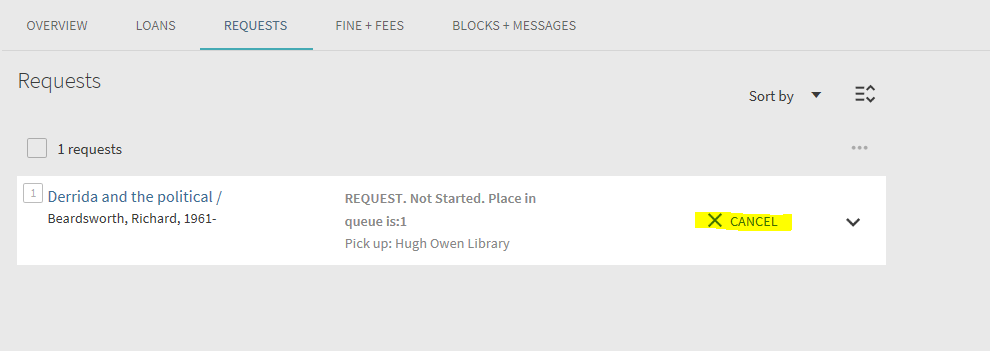 Click CANCEL IT to confirm your cancellation request:
 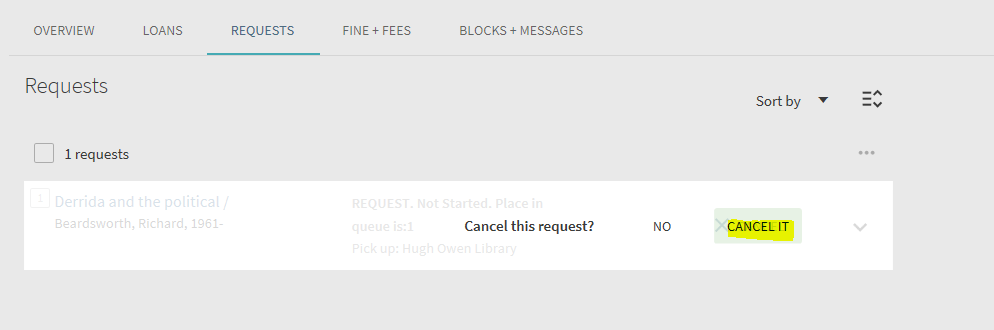 You will be re-directed to your Requests list where cancelled requests will no longer appear.